
Thumbtack: Hire Service Pros
ThumbtackHouse & Home
4.915.30K Reviews
- Version
- 446.0
- Installs
- 5.00M
- Age Rating
- Everyone
Screenshots
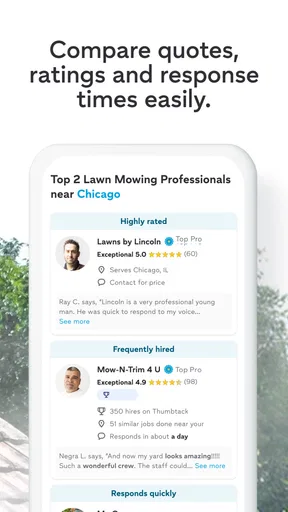
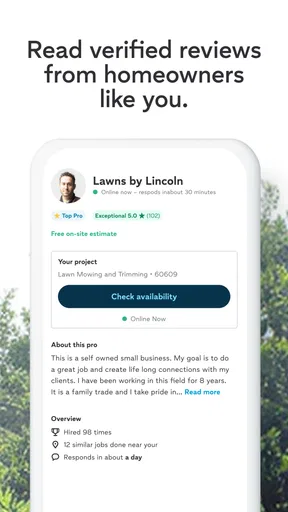
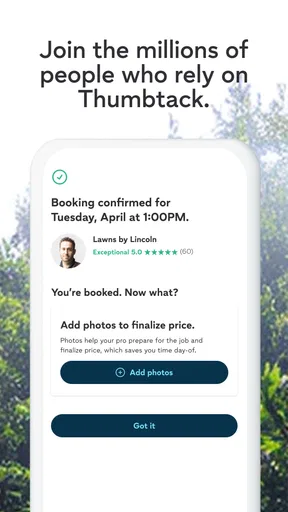
Our Review of Thumbtack: Hire Service Pros
 Analysis by Appyee
When something at home needs attention, the hardest part is often not describing the problem but working out who to contact and what to ask. I find Thumbtack most useful as a place to start that search: it brings service professionals into one app, where I can compare options and begin a conversation before making a decision. It helps organize the search, but it does not make the choice for you. That distinction matters, especially if this is your first time hiring someone for a repair or home project.
What to expect from a service marketplace
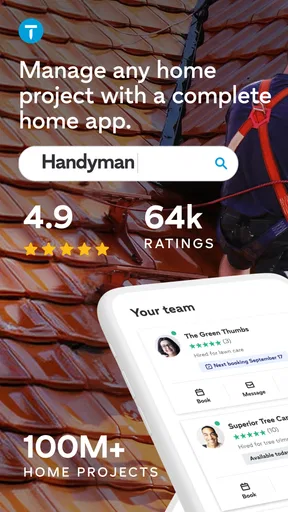
Thumbtack is a free House & Home app from Thumbtack, and its central purpose is to connect people with professionals for work such as maintenance, plumbing, and home design. The app has an average rating of 4.8 from around 54,000 ratings, and it has been installed over five million times. Those figures suggest that many people use it, but they are not a guarantee that a particular professional will suit your project. The useful question is whether the available options, their experience, and their responses fit what you need.
I would think of it as a starting point for finding and comparing help, rather than as a promise that every job can be handled instantly or in exactly the same way. A small plumbing concern, a room redesign, and a time-sensitive repair all call for different questions. The app can help you reach professionals, but you still need to explain the work clearly and decide what feels right before arranging anything.
Make the first search easier on yourself
Before opening the app, take a moment to define the job in ordinary language. Note what is wrong, where it is happening, and what outcome you want. For example, “the kitchen tap is leaking at the base” is more useful than “need a plumber.” If you are looking for design help, it can help to describe the room and the kind of change you are considering, rather than asking vaguely for a makeover. This small preparation makes it easier to compare replies on the same terms.
Photos or other details can be useful when they help explain the work, but I would avoid assuming that an initial description settles the scope or cost. A professional may need to ask follow-up questions before giving a meaningful estimate. If you are unsure how much detail to include, start with the visible problem and mention what you have already tried, if anything. Keep sensitive personal information out of the description unless there is a clear reason to share it.
Choose a useful first action, not just a quick one
For a first-time user, a good early success is not necessarily hiring the first person who replies. It is getting a clear, relevant conversation started. A practical message might explain the issue, say when you hope to have the work done, and ask what information the professional needs to assess it. That gives you a chance to see whether the person understands the request before you make a commitment.
Imagine noticing a leak under the kitchen sink after dinner. You can describe where the water appears, say whether it is ongoing, and ask about the next steps for assessing the repair. If a professional’s response addresses those details and asks sensible questions, that is more useful than a fast but vague reply. If the issue is actively causing damage or poses an immediate safety risk, use the appropriate urgent service rather than relying on an app search as an emergency response.
Compare the answers, not only the profiles
Profiles and reviews can help narrow the field, but I would read them as clues rather than guarantees. Look for details that relate to your kind of job, and notice whether the professional’s communication is clear and relevant. A large number of positive comments cannot tell you everything about a specific repair, while a concise profile may still belong to someone who is a good match. Use the conversation to fill in what a profile cannot answer.
When you receive estimates, check what each one appears to cover and ask about anything unclear before agreeing. Two numbers are not necessarily comparable if one assumes a simple fix and the other includes a broader scope. I would also confirm practical details such as timing and what happens next in the conversation, rather than treating an estimate as a final agreement. That extra exchange can prevent a mismatch between what you expect and what the professional understands.
How it differs from asking around
The familiar alternative is to ask friends or neighbors for a recommendation, then contact people one by one. That can be reassuring when someone you trust has recently hired a professional for a similar job. Thumbtack offers a different route: it puts the search and initial conversations in one place, which can be useful when you have no personal referral or want to compare several candidates. Neither method removes the need to check whether the person is right for your particular work.
For a project with unusual requirements, a specialist directory or direct local research may give you a better way to verify relevant credentials and experience. For straightforward household work, the convenience of searching and messaging in one app may be enough to get a shortlist started. I would not treat marketplace visibility as proof of licensing, insurance, or suitability; where those matters apply to the job, ask directly and verify what you need before hiring.
Who will find it useful—and who may not
I can see Thumbtack helping renters who need permission-aware repair help, homeowners coordinating maintenance, and people who want to explore home-design assistance without making several disconnected inquiries. It can also be useful when you are new to an area and have not built a list of local contacts. The app’s Everyone content rating makes its intended audience broad, although the services themselves are still matters for adults to arrange responsibly.
It may be less helpful if you already have a trusted professional, need an immediate emergency response, or require a highly regulated specialist whose qualifications must be checked through a particular official channel. It is also not a shortcut around describing the job, comparing terms, and confirming the details. If you strongly prefer to handle all arrangements by phone or through a personal referral, the app’s marketplace approach may feel like extra work rather than a benefit.
First Impressions and Setup
Getting started with Thumbtack: Hire Service Pros is a breeze. The app has a sleek, user-friendly interface that welcomes you with open arms. You just download it, sign up, and voila—you're in! The setup process is straightforward, guiding you with prompts that even a tech newbie can handle. It's like the app knows you want to get things done fast.
Thumbtack is free to download, and its current version is 403.0, with a minimum operating-system requirement of version 9. Once you are ready to try it, keep the first task modest and specific: looking for an estimate or asking a question is a sensible way to learn how the process feels before relying on it for a complicated project. I would approach setup as the beginning of a comparison, not as a commitment to hire.
Exploring the Features
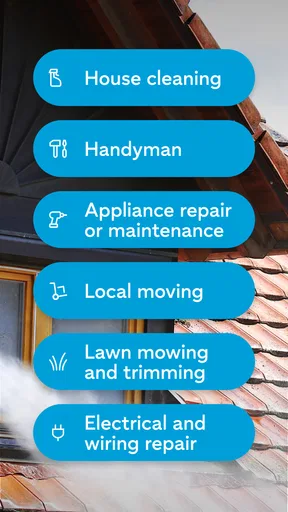
Once you're in, the magic begins. The app connects you with local professionals for pretty much anything. Need a plumber? Check. A photographer for your cousin's wedding? Double check. You can search for services, view profiles, read reviews, and even see how many times they've been hired. It’s kind of like scrolling through a professional's resume, but way more entertaining.
For home-related work, the practical advantage is being able to look at options before deciding whom to contact. I would use profiles to form a shortlist, then send each person a consistent description of the job. Keeping the request consistent makes replies and estimates easier to compare; changing the details from one conversation to another can leave you judging different scopes without realizing it. This is especially useful when the work could range from a quick fix to a more involved project.
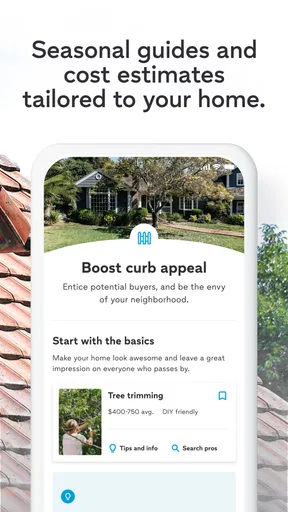
One feature I found particularly handy is the ability to receive cost estimates. Instead of playing the guessing game, you can get an idea of how much a service will set you back before committing. This feature is a lifesaver, especially if you're on a budget.
I would treat an estimate as a planning aid, not automatically as the final amount for every possible version of the job. Describe the issue carefully and ask what assumptions the estimate relies on. If the work changes after inspection or discussion, clarify the revised scope before proceeding. That habit is more valuable than comparing figures without checking whether each professional is pricing the same work.
Using the App
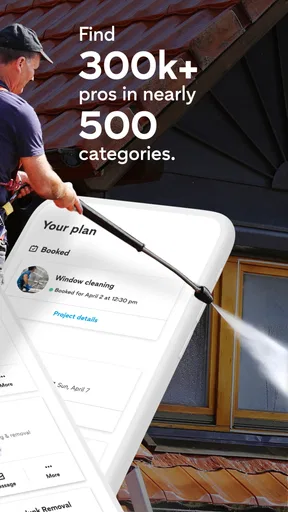
After browsing through a sea of options, hiring a pro is as simple as tapping a button. You can message them directly, discuss your needs, and even schedule appointments within the app. It’s like having a personal assistant without the hefty price tag.
Even when arranging a visit seems straightforward, I would use the message exchange to confirm the important details in plain terms: what needs attention, when the professional expects to come, and what you should prepare. If a detail matters to access or the job itself, say it clearly rather than assuming it is understood. A short written recap can help both sides avoid confusion, particularly when you are managing several conversations at once.
The app also keeps everything organized. Your messages, hires, and even payments are all in one place. No more sifting through endless emails or text messages to find that one detail you forgot. It’s all there, neatly wrapped up in the app.
That central record is most useful when you return to a project after a few days or need to check what was discussed. I would still keep my own notes for decisions that affect the scope or budget, especially if a job involves several stages. Having messages together reduces hunting around, but it does not replace reading the conversation carefully or confirming a change before work proceeds.
A Few Things to Consider
Of course, no app is perfect. While Thumbtack is a fantastic tool, it’s essential to do your due diligence. Not every pro might match your expectations, so take the reviews with a grain of salt and trust your instincts. Also, the availability of services can vary depending on your location.
One point that can confuse first-time users is the difference between contacting someone, receiving an estimate, and having a settled arrangement. I would not assume that an inquiry means a booking, or that an initial estimate answers every question about the job. Read the replies, ask about unclear terms, and make sure you understand the next step before treating the work as agreed. If the responses are incomplete or do not address your concern, it is reasonable to keep looking.
Another trade-off is that a marketplace can present options without knowing which personal preference matters most to you. One person may value the earliest available appointment; another may prioritize experience with a particular repair or a clear explanation of the work. Decide what matters before comparing profiles, so you do not let convenience alone make the choice. Local availability also means the range of candidates may feel different from one place to another.
Final Thoughts
Overall, Thumbtack: Hire Service Pros is like having a trusty sidekick in your quest to get things done. It simplifies the process of finding and hiring professionals, saving you time and headaches. Whether you’re planning a party or need some home repairs, this app is worth a spot on your phone. So, why not give it a whirl and see how it can make your life a bit easier?
My practical recommendation is to begin with one well-defined job, compare a small shortlist, and use the first messages to judge both fit and communication. Thumbtack works best when you want a more organized way to discover and contact professionals, not when you expect an app to make a hiring decision on your behalf. If you keep that boundary in mind, it can be a helpful tool for turning a vague household task into a clearer next step.
Privacy and Permissions
See what permissions an app requests and how it handles your data.
- Calendar
- read calendar events plus confidential information, add or modify calendar events and send email to guests without owners' knowledge
- Location
- approximate location (network-based), precise location (GPS and network-based)
- Photos/Media/Files
- read the contents of your USB storage
- Storage
- read the contents of your USB storage
- Camera
- take pictures and videos
- Microphone
- record audio
- Other
- view network connections, full network access, run at startup, control vibration, prevent device from sleeping, read Google service configuration
Verdict
Strengths of Thumbtack: Hire Service Pros
- Wide range of services available.
- User-friendly interface and design.
- Easy booking and payment process.
- Access to verified professionals.
- Customizable service options.
Limitations of Thumbtack: Hire Service Pros
- Limited availability in some areas.
- Service costs can vary widely.
- Occasional delays in response times.
- In-app ads can be intrusive.
- Requires constant internet connection.
Other Releases by Thumbtack
View All
Thumbtack for Professionals
Business3.2
Similar Picks in This Category
View All
Universal TV Remote Control
CodeMatics Media Solutions3.9

AlfredCamera Home Security app
Alfred Systems Inc.4.7

Planner 5D: AI Home Design
Planner 5D4.5

Universal Tv Remote-Cast to TV
One Music Player4.1

Zillow: Homes for Sale & Rent
Zillow Group4.8

99acres Buy/Rent/Sell Property
infoedge.com4.3
Frequently Asked Questions
What is Thumbtack and how does it work?
Thumbtack is a platform that connects users with local professionals for various services, ranging from home repairs to event planning. Users can browse through different categories, read reviews, and request quotes from service providers. Once you select a pro, you can communicate directly through the app to finalize details and pricing.
Is Thumbtack available in all regions?
Thumbtack is widely available across the United States, covering numerous cities and regions. However, availability of specific services may vary depending on the local professionals in your area. It's best to check the app for service availability in your specific location.
How are professionals vetted on Thumbtack?
Thumbtack verifies the credentials of service professionals through background checks and reviews. Users can see ratings and read feedback from previous customers, which helps in making informed decisions. Professionals are also encouraged to provide detailed profiles and certifications to build trust with potential clients.
Are there any fees associated with using Thumbtack?
Downloading and using Thumbtack is free for consumers looking to hire professionals. However, professionals pay a fee to send quotes and connect with potential clients. This model ensures that users can access the platform without any upfront costs, paying only for the services they choose to hire.
How secure is my personal information on Thumbtack?
Thumbtack prioritizes user privacy and employs robust security measures to protect personal information. Communication between users and professionals is encrypted, and the platform does not share personal data without consent. Users are encouraged to review Thumbtack’s privacy policy for detailed information on data protection.
